Hi, how we can help?
How To Remake Payment
Orders that have failed payment will be moved to the “To Pay” status, allowing users to make payment for the order again.
Note That:
– Product items in this status are reserved and locked; after cancellation, they will be released back to the shop.
– Orders pending payment in this status will be removed after a specified time (as displayed in the order details).
Step 1: Go to your profile and find the “To Pay” option in the My Orders section.
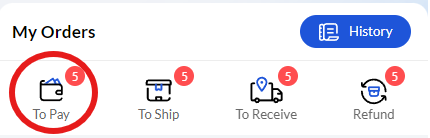
Step 2: After clicking on the “To Pay” option, the orders pending payment will appear. Click on the order you wish to make a payment for.
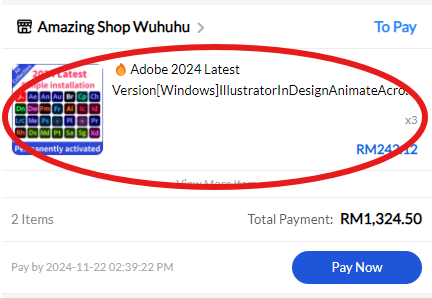
Step 3: Verify that the product item is the one you want to make a payment for, then click the “Pay Now” option at the bottom.
Note That:
– Users can also click “Pay Now” without accessing the order details page.
– During payment, users can change the payment method, but only once. If the payment fails again after making the change, you will not be able to change the payment method again.
