Hi, how we can help?
How To Use Voucher
During checkout, there is a section where users can select and apply their claimed vouchers. To use a voucher, follow these steps:
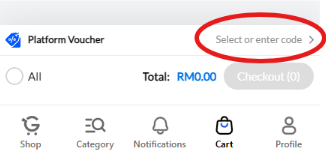
Step 1: To select a voucher, press the Platform Voucher option located at the bottom of the shopping cart page.
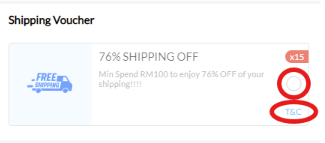
Step 2: After opening the voucher selection option, your claimed vouchers will appear for selection.
Note That:
– Vouchers that are grayed out and unselectable mean the current conditions do not meet the voucher’s usage requirements.
– To check the requirements, click the “T&C” option on each voucher.
– Make sure to select products for checkout before choosing a voucher; otherwise, all vouchers will remain grayed out.
– Only one voucher can be applied per checkout.
Step 3: After selecting a voucher, press “OK” at the bottom to apply it.
Note that:
– To deselect a voucher, go back to the voucher page, select the already chosen voucher again, and press “OK” to cancel the selection.
– Deselecting a voucher will not cause it to disappear or be used. The voucher will only be used or disappear once it is expired or applied at checkout and the payment is completed.